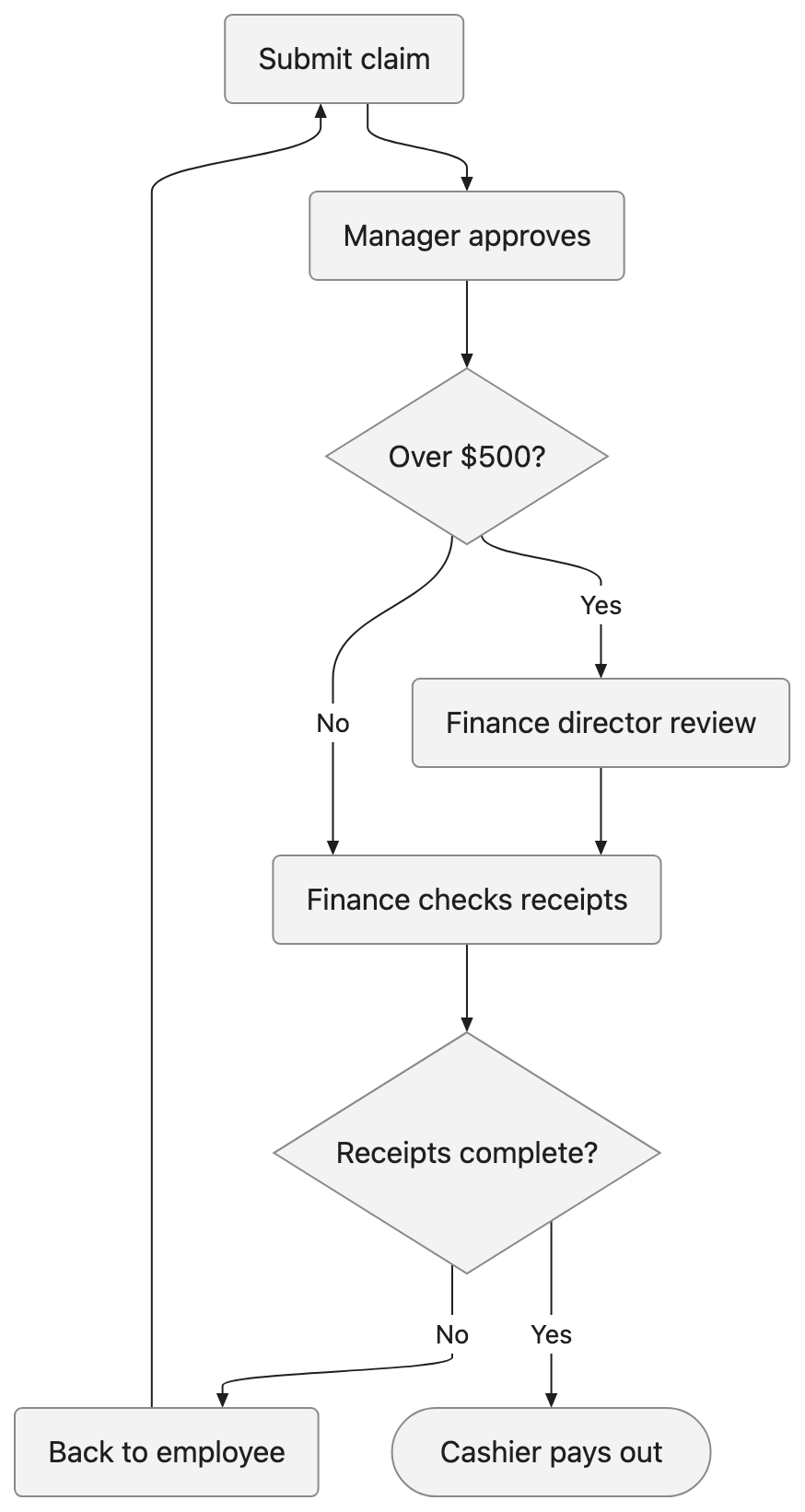
What usually goes wrong with an AI diagram
A model asked to “make a diagram from this” will produce a diagram, whether or not the text supports one. That is the failure mode: not ugly output, but confident output. Labels that were never in the text, steps that were invented to fill a gap, a hierarchy that reads well and means nothing.
The second failure is subtler. You get a picture with no way back — no record of which sentence produced which node — so the only way to check it is to re-read the source and hold both in your head.
Tracing, and marking what is missing
Each node keeps the sentence it was derived from. Click a node and you see the source; change the sentence and you can see what the diagram no longer covers.
Where the text is thin, the diagram says so. A step with no support in the source is marked rather than invented, which turns the diagram into a list of questions instead of a set of claims: “this branch has no evidence — is it real, or did the model guess?”
The shapes, and when each one is the right answer
Choosing the shape is half the work, so the editor asks what you have rather than what you want:
- A process with decisions → flowchart. Two paths that merge is the test.
- A topic with parts → mind map. If depth varies a lot, it is a mind map, not a list.
- Parts of a whole, or numbers over time → data chart. Numbers must come from the text; none are invented.
- Phases against dates → Gantt; events in order → timeline.
- Causes of one effect → fishbone; options and criteria → SWOT or a quadrant; overlaps → Venn.
- One page that has to be read in fifteen seconds → infographic.
The comparison
| Draw it by hand | Screenshot an AI answer | JotDoc | |
|---|---|---|---|
| Where the labels come from | You | The model, unchecked | Your text, with links |
| When the text changes | Redraw it | Stale, and nobody notices | Source lives beside it |
| Export | Depends on the drawing tool | A picture of a picture | Word, PDF, PNG, SVG |
Questions this page gets
Do I need an account?
For the AI step, yes — a free account, with 50 credits a week. Pasting text, editing the document and exporting need neither an account nor credits.
What happens to my text?
It is sent to the model only when you click Generate. Documents stay in this browser; there is no copy on a server unless you explicitly put the document in the cloud.
Can I edit the diagram by hand afterwards?
Yes. The diagram is Mermaid source in the document, so you can rename a node, add a branch or fix a wrong shape without re-running the AI — and the export re-renders from the edited source.
Which exports keep the diagram sharp?
SVG for anything that will be scaled, PNG for a slide or a ticket, and Word or PDF for a document. In Word it arrives as an image at text width, because Word has no renderer of its own.
Where to go next
- The built-in pen — make the same mind map or flowchart at the cursor, inside the document.
- Writing with AI — the eight moves in context, including what a selection actually does.
- The editor itself — every block type, the Markdown each one saves, and what survives export.
- Working on a Mac? The MindMax desktop app opens the same documents from Finder.