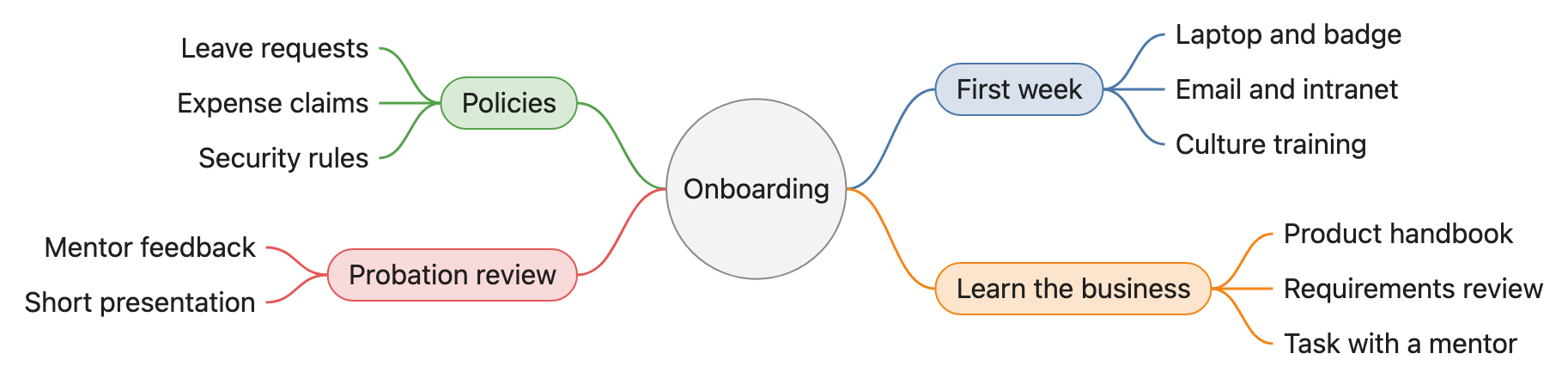
What makes a mind map useful, and what makes it decoration
Two things separate the two. First, depth that means something: a branch should be a real subdivision of its parent, not a category the model found plausible. Second, coverage: the map should show what is in the text, including the parts that do not fit the tidy shape.
The common failure is symmetric structure. A model will happily produce three branches with three children each, because that looks like a mind map. Real text is lopsided, and the lopsidedness is the information.
Org charts, since they are the same problem
An org chart is a mind map with names on it, so both come from the same shape and the same page handles both.
Paste a team list, a reporting structure, or the “who owns what” section of a document. The chart follows the reporting lines the text states, and a node whose manager the text never names is shown as unattached rather than being guessed into a slot.
Section specimen
Team list → org chart
Your text
Company structure
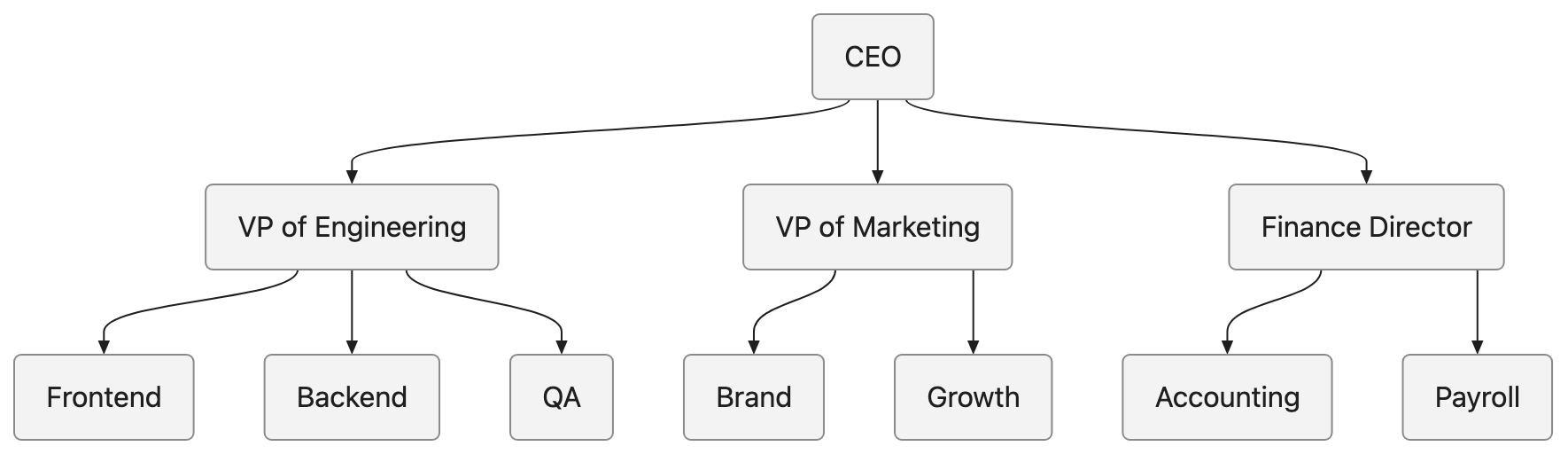
The CEO runs the company, with a VP of Engineering, a VP of Marketing and a Finance Director reporting in. Engineering covers Frontend, Backend and QA; Marketing covers Brand and Growth; Finance covers Accounting and Payroll.
The diagram, traced to your text
From map to document
The map is Mermaid source in the document, so a branch can be renamed or moved by hand, and the export redraws from what you edited. Word and PDF for the document, PNG for a slide, SVG where it will be resized.
Because it lives beside the text, the next revision is a diff rather than a redraw: change the section, regenerate that branch, keep the rest.
Questions this page gets
Can I make an org chart from a list of names?
Yes. Paste the list with reporting lines — indentation is enough — and the chart follows it. Nodes with no stated manager are left unattached instead of being placed somewhere plausible.
How deep can it go?
As deep as the text goes, though past four or five levels a map stops being readable on one page. If yours is deeper than that, the document is usually telling you it wants sections instead.
Does generating need an account?
The AI step does — free, 50 credits a week. Editing the source and exporting are free without an account.
Where to go next
- The built-in pen — make the same mind map or flowchart at the cursor, inside the document.
- Writing with AI — the eight moves in context, including what a selection actually does.
- The editor itself — every block type, the Markdown each one saves, and what survives export.
- Working on a Mac? The MindMax desktop app opens the same documents from Finder.